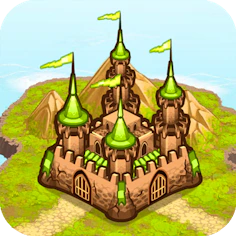
Takeover
Game Shooting
Lead your clan to conquest in this compact medieval strategy game, playable free in your browser.
- Genre
- Game Shooting
- Rating
- 4.1
- Plays on
- Mobile + Desktop
- Access
- Free Play
- Controls
- Touch + Keyboard
- Built with
- HTML5 Game
A short ad may play before this opens.
Details
Overview
Medieval strategy games often lean on grand expansion and extra twists, but this one keeps things classic with stylised visuals and traditional theming. It plays like a real-time strategy title condensed into something more digestible, cutting down on decision overload. Most elements come with presets already in place, leaving you to focus on positioning and management rather than juggling endless options. Since rival forces are always scheming their next move, staying alert is essential.
Gameplay and Experience
Takeover casts you as the leader of a clan in a 2D medieval fantasy setting, controlled entirely with the mouse. You move the cursor around the interface and click the left mouse button to pick icons, while units are relocated by clicking, holding, and dragging them to their destination. Each level's objective is to crush enemy forces and seize their land, with faster, more efficient victories earning higher scores.
The campaign opens on a world map, where available missions are marked by your clan's castle icon. Selecting one drops you into a stretch of land where your clan is already established, castle serving as your home base. Nearby empty plots let you construct Farms to grow your squad numbers, Mines to boost gold income, and Obelisks to generate mana. Squad numbers determine how many warriors your castle can train for offence and defence, gold covers assorted costs, and mana fuels magic such as healing spells. Upgrading the castle itself improves warrior quality.
Enemy squads periodically march on your castle, and losing it ends the game. Victory comes from training warrior squads, sending them against the enemy, and letting them fight automatically until one side falls — enemy buildings must also be worn down before your troops can occupy and rebuild them, which unlocks extra resources and nearby territory. Ogres wandering the map guard treasure chests worth attacking for bonus loot. Completing missions earns Edicts, passive perks that boost things like warrior strength or gold output.
Controls
Everything is handled with the mouse: move the cursor to reach the UI, left-click to select icons, and click-hold-drag to reposition units.
How to Play
Start from the world map, pick an available mission marked by your castle icon, then manage your base — building Farms, Mines and Obelisks, training warriors, and directing them to conquer enemy territory faster than the enemy can destroy your castle.
Features
Delivered as an official GamePix HTML5 embed with a responsive layout for mobile, tablet and desktop. Supports both touch and keyboard/mouse input, with landscape orientation compatibility.
Tips and Tricks
Spend Edicts carefully since they're your biggest advantage. Prioritise boosting supply numbers early so you can field multiple squads for attack and defence at once. Hold your magical avatar power in reserve for emergencies.
Why You Should Play
This responsive HTML5 game ranks well in GamePix's quality and popularity listings, and works with either touch or desktop controls.
Who Is This Game For?
A good fit for fans of shooting, archery and knight-themed games looking to play on mobile, tablet or desktop.
Worth checking first
- 2D medieval strategy game rated 4.1 out of 5
- Playable free via browser on mobile and desktop, no download needed
- Controlled with touch or mouse and keyboard
- Build Farms, Mines and Obelisks, train warriors, and conquer enemy land
- Earn Edicts for passive clan bonuses as you complete missions
Where it actually lives
Takeover runs directly in the browser on this page as a free HTML5 game — just press Play Now to jump straight into the campaign map. No installation or account is needed, and it works with touch controls on mobile or mouse and keyboard on desktop.